
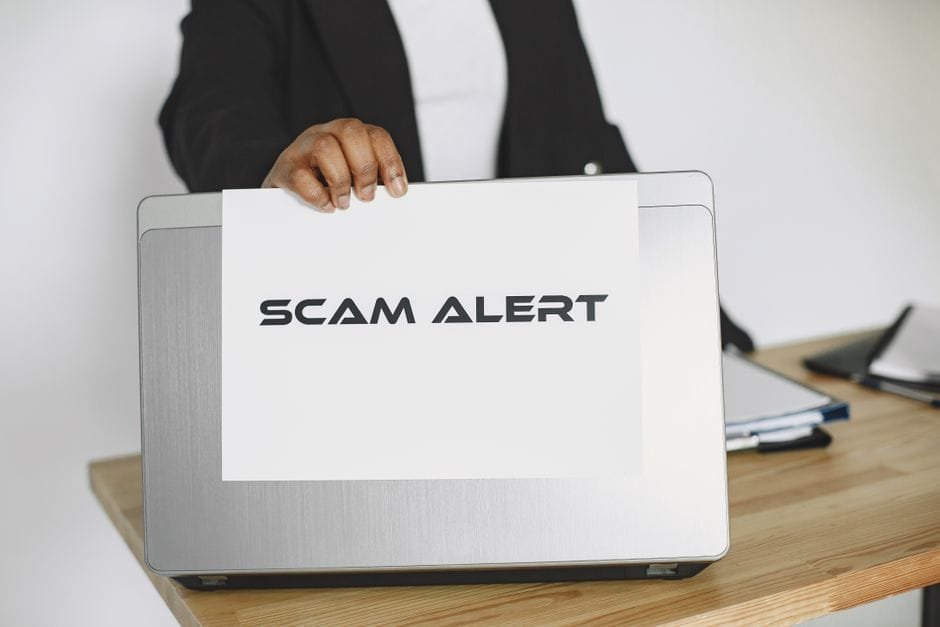
Somewhere right now, there may be a Facebook page wearing your logo, your cover photo and a name one letter away from yours — and it is talking to your customers.
Brand impersonation is one of the most damaging scams a business page can face, because the fraud happens in your name. When a customer gets robbed by a fake “you”, they do not blame the scammer they never identified. They blame the brand whose logo they trusted.
This is the full response playbook: how the scam works end to end, the four imposter patterns to recognise, exactly what to do in the first 60 minutes, and how to automate detection so imposter comments get caught at 2 AM instead of being found at 9 the next morning.
- Imposters do not need to hack anything. A downloaded logo, a lookalike page name and comments under your own posts are the entire toolkit.
- Scam victims blame the real brand, not the scammer — the trust damage lands on you even though you did nothing wrong.
- Watch for four patterns: fake giveaway pages, fake “customer care” reply accounts, lookalike seller pages, and fake job-offer pages.
- The response order matters: hide the imposter comments first, report the fake page second, warn your audience third.
- A verified badge helps customers pick the real page, but it does nothing to stop imposters commenting under your posts.
- AI moderation is the only realistic way to catch imposter comments around the clock, in every language your customers use.
How the scam works, from copied logo to stolen money
The whole operation takes a scammer less than an hour, and none of it requires access to your account.
First, they download your logo, cover photo and a few product images. Everything they need is public on your own page.
Second, they create a new page with a name that is almost yours. A letter swapped, a space added, or a word bolted on — “Official”, “Store”, “BD”, “Care”. At a glance, on a phone screen, it passes.
Third, they go where your customers already are: the comment sections of your best-performing posts. Under your own content, the fake page comments something like “Congratulations! You have been selected as one of today’s winners — click here to claim your prize.” The link leads to a phishing form, a fake payment page, or a request for a “delivery fee” of $5 to release a prize worth $500.
Your customer sees your logo and your name, sitting under a genuine post on your genuine page. They click. They pay. The money is gone — and every part of that experience happened wearing your brand.
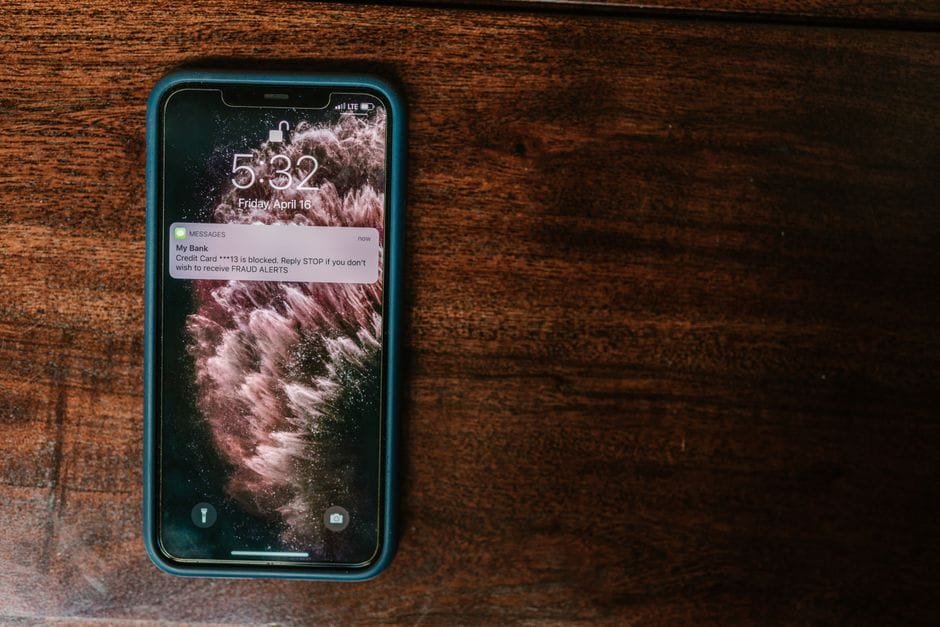
Why victims blame you, not the scammer
Here is the uncomfortable part. The customer never met the scammer. From their side of the screen, the story is simple: “I trusted this brand, and I lost money.”
They will not write an angry post about an anonymous fraud page that has already been deleted. They will write it on your wall, under your posts, in your reviews — because you are the only party they can find.
Now run the damage math. One scammed customer is one lost customer, plus everyone they warn away, plus every future buyer who reads their accusation in your comments and quietly decides not to risk it. We covered how that arithmetic compounds in what one bad comment really costs — and a scam accusation is the heaviest kind of bad comment there is.
There is a second-order cost too: your team ends up handling refund demands for money you never received, and defending your brand against a crime someone else committed. Every hour spent on that is an hour the scammer took from you as well.
The four imposter patterns to recognise
Impersonation is not one scam. It is a family of them, and each one targets a different moment of trust.
1. The fake giveaway page
A copy of your page announces a contest, or comments “winner” notifications under your real posts. The prize is bait; the goal is card details, login credentials, or an upfront “processing fee”. Giveaway scams spike whenever you run a genuine promotion, because your real contest gives their fake one cover.
2. The fake “customer care” account
This one is quieter and nastier. An account named something like “YourBrand Customer Care” watches your comment sections for people with complaints, then replies or sends a private message: “Sorry for the trouble — please share your number and payment details so we can process your refund.” Your unhappiest customers, the ones already primed to act, are exactly the ones it harvests.
3. The lookalike seller page
A page with your name and product photos sells “the same product” at 30 percent below your price. Customers pay in advance and receive nothing, or receive a counterfeit. Either way, the complaint lands on you — and so does the reputation for “selling fakes”.
4. The fake job-offer page
A page using your brand advertises vacancies and charges an “application fee” or “training deposit”. Job seekers are a cruel target: they are hopeful, they act fast, and a legitimate-looking company name is all the proof they ask for. When they realise, they tell everyone your company scammed them.
Why high-trust markets get hit hardest
The stronger your brand, the better the scam works. That is the bitter irony of impersonation: the trust you spent years building is exactly the asset being stolen.
In markets where commerce runs through comments, DMs and bank-transfer payments, the effect is amplified. Customers are used to paying in advance based on nothing more than a page name and a logo — so anything carrying your logo gets acted on without a second check.
If you sell through social commerce, your comment section is your storefront, and an imposter standing in it is a thief standing at your till. We wrote about that dynamic in AI moderation for e-commerce and social commerce: the same channels that make selling frictionless make scamming frictionless too.
The detection problem: imposters work while you sleep
Here is why “just keep an eye out” fails. Imposters do not comment during your office hours — they comment at 2 AM, on weekends, and during holidays, precisely because that is when nobody from your team is watching.
They also do not limit themselves to your newest post. A page with three years of content has hundreds of threads an imposter can comment under, including old posts you have not looked at in months but which still get search and share traffic.
A human team cannot watch every thread of every post around the clock. That is not a staffing failure; it is arithmetic. The realistic goal is not constant human vigilance — it is a system that spots the pattern instantly and a playbook your team can run the moment they are alerted.
That playbook is the next five sections.

Step 1: Hide and report imposter comments instantly
The comment under your post is the live wire — it is the thing your customers will actually click. Cut it first.
Take a screenshot before you touch anything; you will want evidence for the page report. Then hide the comment, report it to Meta as a scam, and ban the account from your page so it cannot post again.
Hiding beats deleting here for one practical reason: a hidden comment stays visible to the scammer and their fake friends, so they often do not realise they have been cut off and do not immediately switch to a fresh account. Deleting tells them the game is up.
Then check your other recent posts. Imposters rarely comment once — if you found one comment, assume there are five.
Step 2: Report the fake page through Meta’s official channels
Hiding comments treats the symptom. The fake page is the disease, and Meta will remove it — but only if you report it correctly.
Go to the imposter page, use the report option, and choose the path for a page pretending to be another business. Meta’s Help Center documents the exact flow for reporting a profile or Page that is pretending to be someone else, and Instagram has an equivalent impersonation report.
If the imposter is using your registered trademark or logo, also file through Meta’s intellectual-property reporting form. IP reports are handled by a dedicated queue and, in our experience, move faster than generic reports — a registered trademark is the strongest card you hold, so play it.
Ask your team and your loyal customers to report the page as well. Multiple independent reports about the same page get attention that one report may not. And keep your screenshots: page name, URL, the scam comments, any payment demands. If a customer loses money, that evidence pack also supports their complaint to their bank and to local police.
Step 3: Warn your audience with a pinned post
While Meta processes the report — which can take days — your customers are still exposed. A pinned warning post is the fastest way to protect them, and it costs you nothing.
Do not be vague. Name the fake, state your rules, and pin it to the top of your page. Here is wording you can adapt:
⚠ Scam alert: “A fake page called [Fake Page Name] is copying our logo and contacting customers. Please note: we never announce winners in comments, we never ask for payment, card details or OTP codes in messages, and this is our only official page. If any account asks you for money in our name, it is not us. Please report it and send us a screenshot — it helps us get it taken down faster.”
Some owners hesitate to post this, worried it makes the brand look compromised. The opposite is true. A public warning shows you are watching, tells the silent majority you did not scam anyone, and inoculates the customers who have not been approached yet. Silence, on the other hand, means every victim assumes you either did not know or did not care.
Step 4: What a verified badge does — and does not — solve
Verification is worth pursuing, and it is worth being honest about.
What the blue badge does: it gives customers a single reliable signal for which page is the real one, it makes your pinned warning more credible, and it strengthens your hand when you report imposters, because Meta has already confirmed your identity.
What it does not do: it does not stop anyone from creating a lookalike page tomorrow, and it does absolutely nothing about imposter comments appearing under your posts. The scam comment sits in your thread whether your page is verified or not — and plenty of customers never look for the badge at all.
So treat verification as one signal in a layered defence, not as the fix. Get the badge if you can, mention “look for the badge” in your warning post, and keep the rest of the playbook running.
Step 5: Monitor your brand name variants
Imposters have to name their page something close to yours. That constraint is your search key.
Once a week, search Facebook and Instagram for your brand name plus the obvious variants: common misspellings, a space added or removed, and the usual suffixes — Official, Store, Shop, Care, Support, HQ, and your country code. Search the same variants on Google, because victims often find fake pages through search rather than inside the app.
Make it a named routine owned by a specific person, not a thing everyone assumes someone else does. Ten minutes a week finds most lookalike pages before they have done real damage — and finding a fake page with 40 followers is a very different problem from finding one with 4,000.

How AI moderation automates the first line of defence
Everything above still depends on a human noticing the imposter. The strongest version of this playbook removes that dependency for the most dangerous surface: the comments under your own posts.
Imposter comments follow patterns a machine can recognise: prize-and-winner language, urgency, requests to click an outside link or message a different account, payment and OTP requests, and links to domains that have nothing to do with you. AI comment moderation reads every comment the moment it is posted, scores it against those patterns, and hides the dangerous ones automatically — before a customer clicks, not after.
The language point matters more than most owners expect. Imposters write in whatever your customers read — Bangla, Hindi, Arabic, or the mixed “Banglish” that keyword filters cannot parse. An AI model that understands meaning rather than matching words catches “Congratulation apni winner hoyechen, click koren” just as easily as its English equivalent.
The result is a permanent night shift: at 2 AM, when the imposter comments on a post from last March, the comment is hidden within seconds and your team finds a log entry in the morning instead of a scammed customer. That is the difference between automated moderation as a first line and human review as the only line.
What to do when a customer has already been scammed
Sooner or later, someone will come to your page saying they paid a fake “you”. How you answer decides whether they become your loudest accuser or your most convinced defender.
Two rules first: lead with empathy, and never blame the victim. “You should have checked the page name” may be technically true, and it will cost you the customer and everyone reading. They were deceived by professionals using your brand — treat them as the injured party they are.
Here is a reply you can adapt:
“We are so sorry this happened to you — the page that contacted you is a fake using our name, and we are working to get it removed. Please report the fake page to Facebook, contact your bank or payment provider right away to dispute the payment, and send us screenshots of the conversation so we can add them to our report. We never ask for payments or codes in messages, and we have pinned a warning so this does not happen to others.”
Then follow through in private, and post a short public update when the fake page comes down. You could not refund money you never received — but you can make sure the customer feels defended rather than dismissed, in front of everyone watching.
The 60-minute imposter response drill
When you find an imposter, run this sequence. It fits inside an hour, and the order is deliberate — protect customers first, build the case second.
- Screenshot everything — the fake page, its URL, its name, and every scam comment. Evidence disappears when the scammer notices attention.
- Hide every imposter comment on your posts and ban the accounts from your page.
- Sweep your recent posts and message requests for more of the same — imposters rarely strike once.
- Report the fake page via Meta’s impersonation flow, and file an IP report too if your trademark is registered.
- Pin the warning post naming the fake page and stating what you never ask for.
- Brief your team — everyone answering messages needs the scam summary and the ready-made reply for affected customers.
- Log the incident — page name, dates, actions taken — so the next occurrence takes ten minutes instead of sixty.
Run the drill once as a rehearsal before you need it. The worst time to design a response is while your customers are being robbed.
Measure your exposure, not just your response
One number tells you more about this threat than any gut feeling: how many imposter-pattern comments were hidden under your posts this week.
If moderation is automated, the count is in your dashboard already. Watch the trend: a steady trickle means opportunists; a sudden spike means an organised operation has picked your brand, and it is time to run the drill, tighten the sweep, and warn your audience again.
Pair that with a simple monthly note of fake pages found and reported, and how long each took to come down. Those two measures turn impersonation from an occasional shock into a managed risk — and if a spike ever coincides with a viral post, our guide to comment crisis management covers how to hold the line when volume explodes.
Frequently Asked Questions
How do I report a fake page on Facebook?
Open the imposter page, choose the report option, and select the path for a page pretending to be another business or person. Meta’s Help Center walks through the exact flow, and if the page uses your registered trademark you should also file through Meta’s intellectual-property report form, which is handled by a dedicated queue. Keep screenshots of the page and its scam activity — they strengthen the report.
Can I stop imposters from commenting on my posts?
You cannot prevent the comment from being posted, but you can make sure nobody sees it. Page-level tools let you ban known accounts and block some keywords, and AI moderation goes further by recognising imposter-pattern comments — prize claims, outside links, payment requests — and hiding them within seconds of posting, in any language.
Should I warn customers publicly about a fake page?
Yes. A pinned warning that names the fake page and states what you never ask for protects customers who have not been approached yet, and shows victims and onlookers that your brand is on their side. Staying silent reads as either ignorance or indifference, and both cost you more trust than the warning ever could.
Does a verified badge stop impersonation?
No — it helps customers identify your real page, but it does not prevent anyone from creating a lookalike page or commenting scam links under your posts. Treat verification as one useful signal inside a layered defence that also includes comment moderation, page reporting and a pinned warning.
What if the fake page outranks mine in search?
Report it to Meta and, if it appears in Google results, use Google’s legal removal request for impersonation while keeping your own page active and complete — regular posts, full business details and consistent naming all help the genuine page rank. A pinned scam warning also protects customers who arrive at your real page after seeing the fake one.
Can AI really tell an imposter comment from a real one?
Yes, with high reliability, because imposter comments are formulaic: winner announcements, urgency, off-platform links, requests for fees or codes, and sender accounts with no history on your page. AI models read the meaning of the comment rather than matching exact words, which is why they catch the same scam written in Bangla, Banglish or any mixed language a keyword filter would miss.
What should I tell a customer who already paid a scammer?
Lead with empathy and never blame them. Confirm the page that contacted them is fake, ask them to dispute the payment with their bank immediately, request screenshots for your Meta report, and point them to your pinned warning. You cannot refund money you never received, but you can make sure they feel defended in public.
The bottom line
Impersonation is a tax on trust: the better your brand, the more attractive a target it becomes. You cannot stop scammers from trying.
What you can control is how long an imposter survives in your comment section, how fast the fake page gets reported, and whether your customers hear the warning from you before they hear the pitch from the scammer.
Hide first, report second, warn third — and automate the watching, because the imposters are not working office hours and neither should your defence.
Catch imposter comments before your customers do
ModerationHQ reads every comment under your posts the moment it lands — and hides scam links, fake winner announcements and imposter replies 24/7, in any language.